X-MONO. Black and white, properly.
Most editors treat black and white as a button. X-MONO starts from grey and builds everything around it: tone, contrast, grain, the lot. It's for people who shoot mono on purpose.
First release planned for 2027
Colour into grey, your way
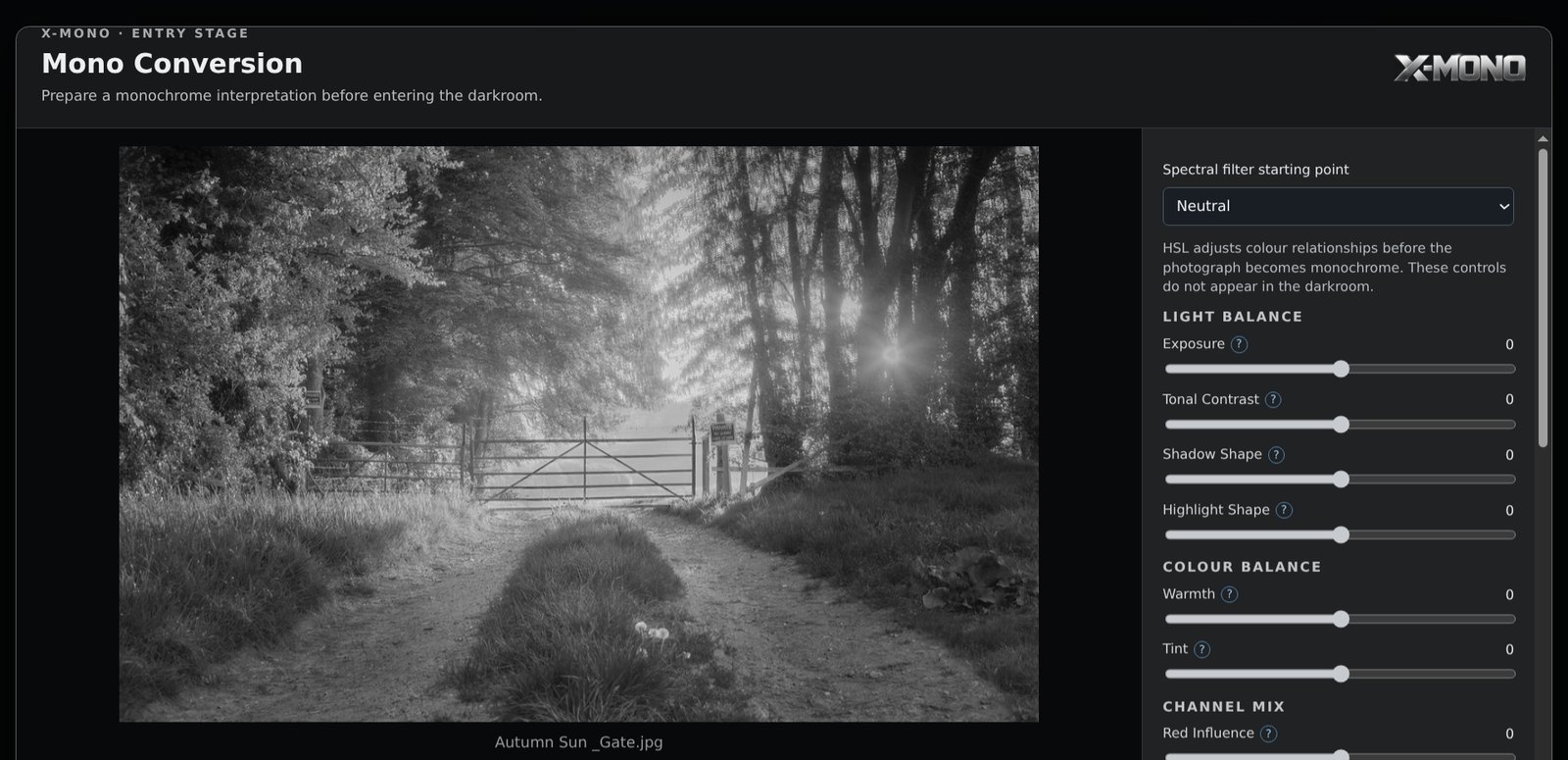
Colour originals open in Mono Conversion first. Pick a spectral filter starting point, then set light balance, colour balance, channel mix and HSL to decide exactly how each colour turns to grey. Darken a blue sky, lift skin tones, pull apart greens that would otherwise merge into one flat mid-grey.
The conversion is where a mono print is made or lost, so it gets its own workspace, not a single slider.
Zonacurve
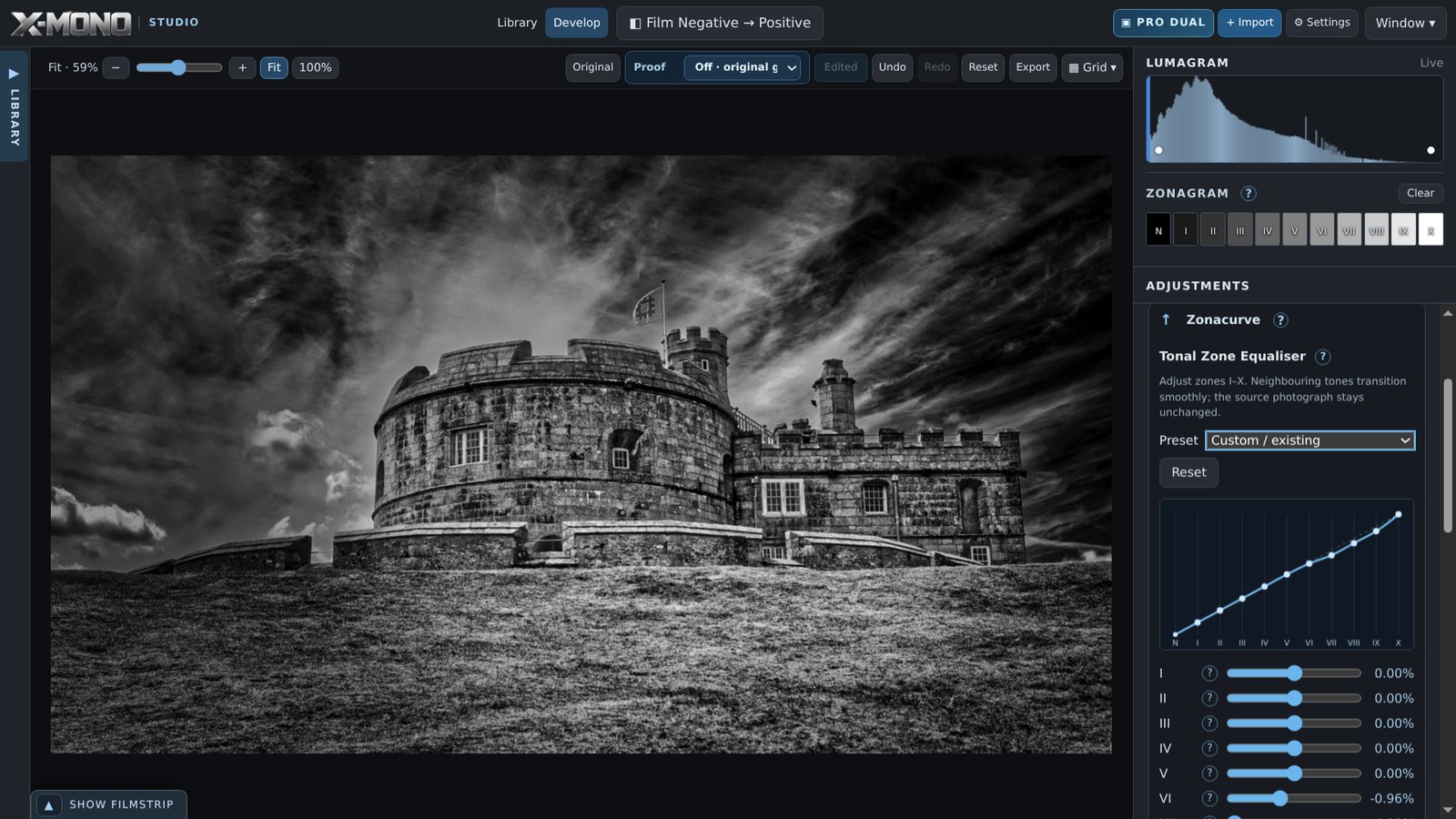
Tone shaping in photographic zones I to X. Instead of pushing points around an anonymous curve, you work on the zones you'd think about at the camera: open up the shadows in zone III, hold the highlights in zone VIII, and neighbouring tones blend smoothly into the change.
The Zonagram and a live Lumagram show you where every tone sits while you work.
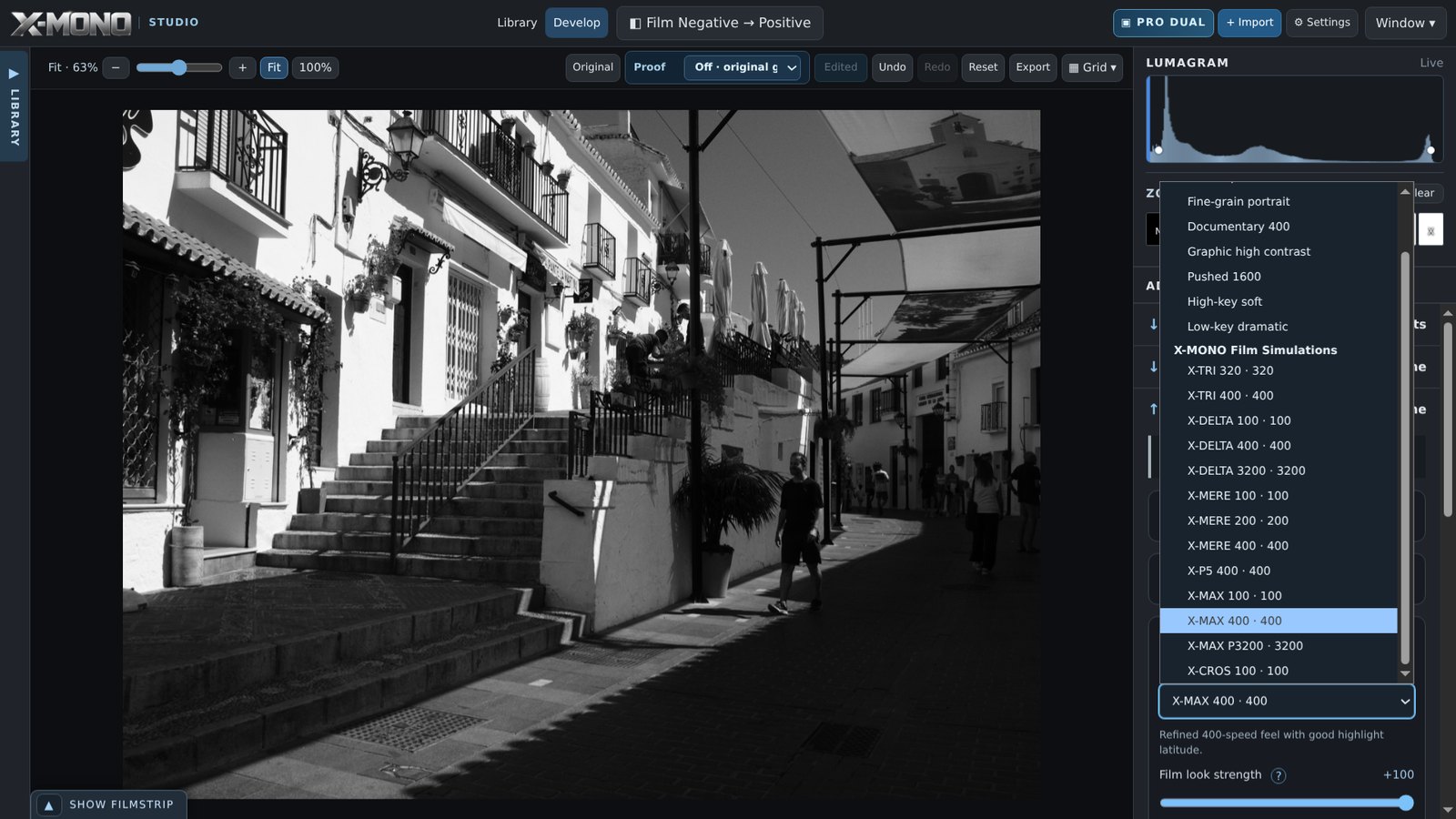
Thirteen film simulations
Thirteen film looks, each with its own grain, from fine 100-speed stocks to pushed 3200. Dial the strength up or down, use one as a finished look or as a starting point, then keep working on top of it.
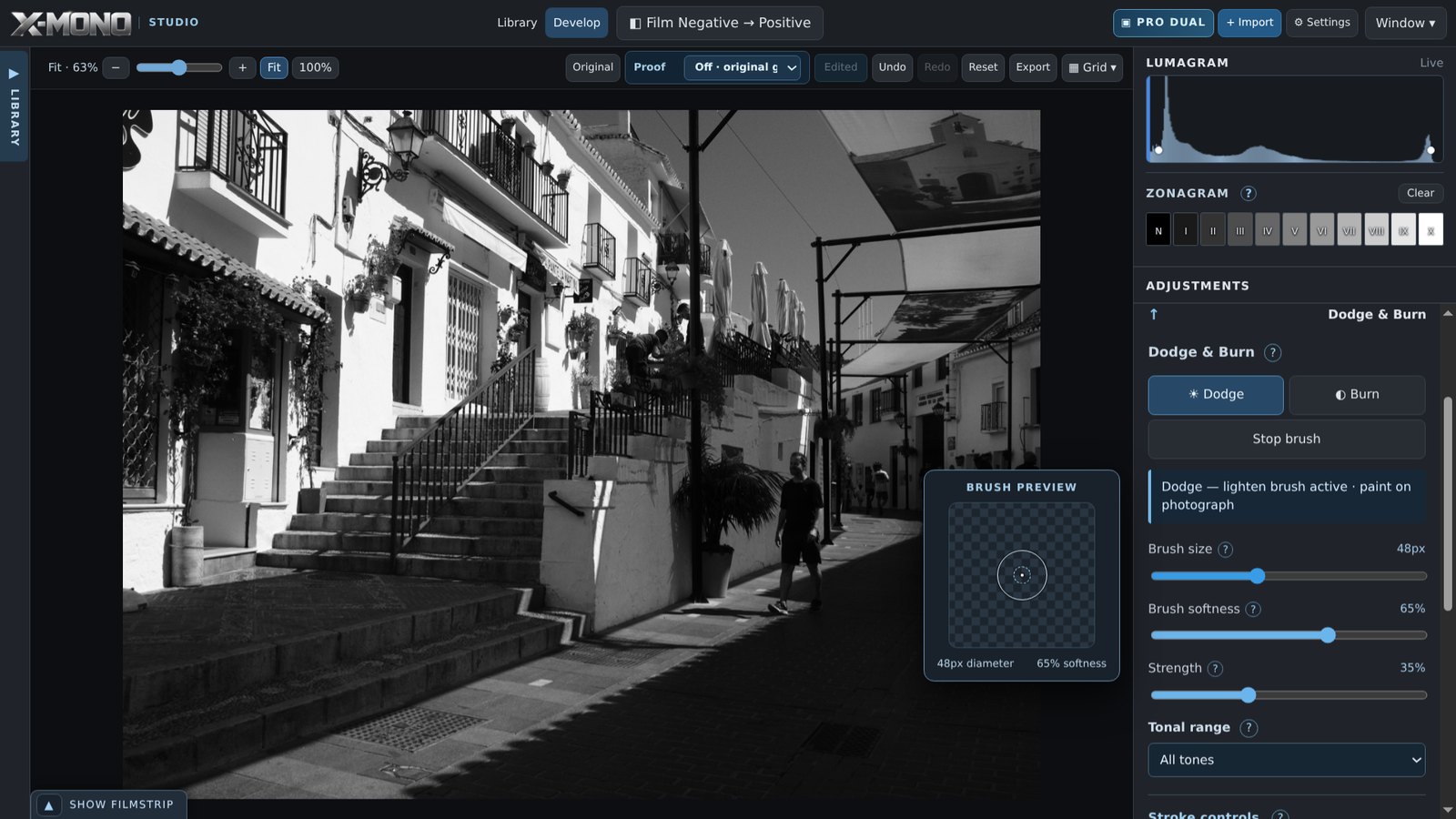
Dodge, burn and masks
Paint dodge and burn straight onto the photograph, the way you'd work under an enlarger. Set brush size, softness and strength, and limit the effect to a tonal range if you only want to touch the shadows or the highlights. Local masks sit alongside. AI masking for skies, buildings, wildlife and subjects is being trained now, from scratch. How the masking is being built →
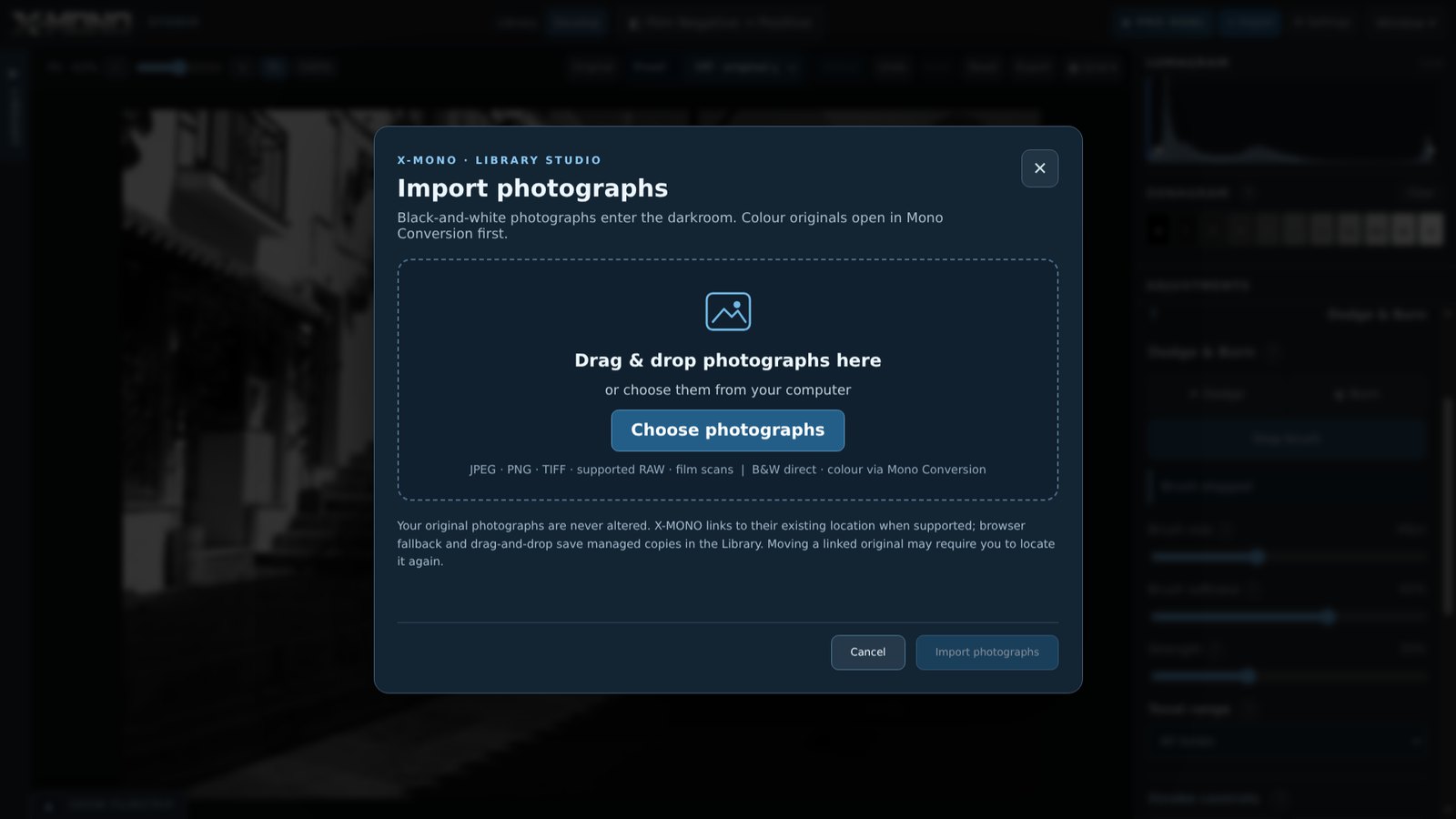
Built for RAW, including mono sensors
JPEG, PNG, TIFF, RAW and film scans. Monochrome RAW files from Leica, Pentax and Ricoh GR cameras are recognised and go straight into the editor. Colour RAWs go through Mono Conversion first, then into the darkroom. Your originals are never altered. Everything runs in 32-bit floating-point on a Neutral Base render built on camera profiles, and it's been tested with files up to 100 megapixels.
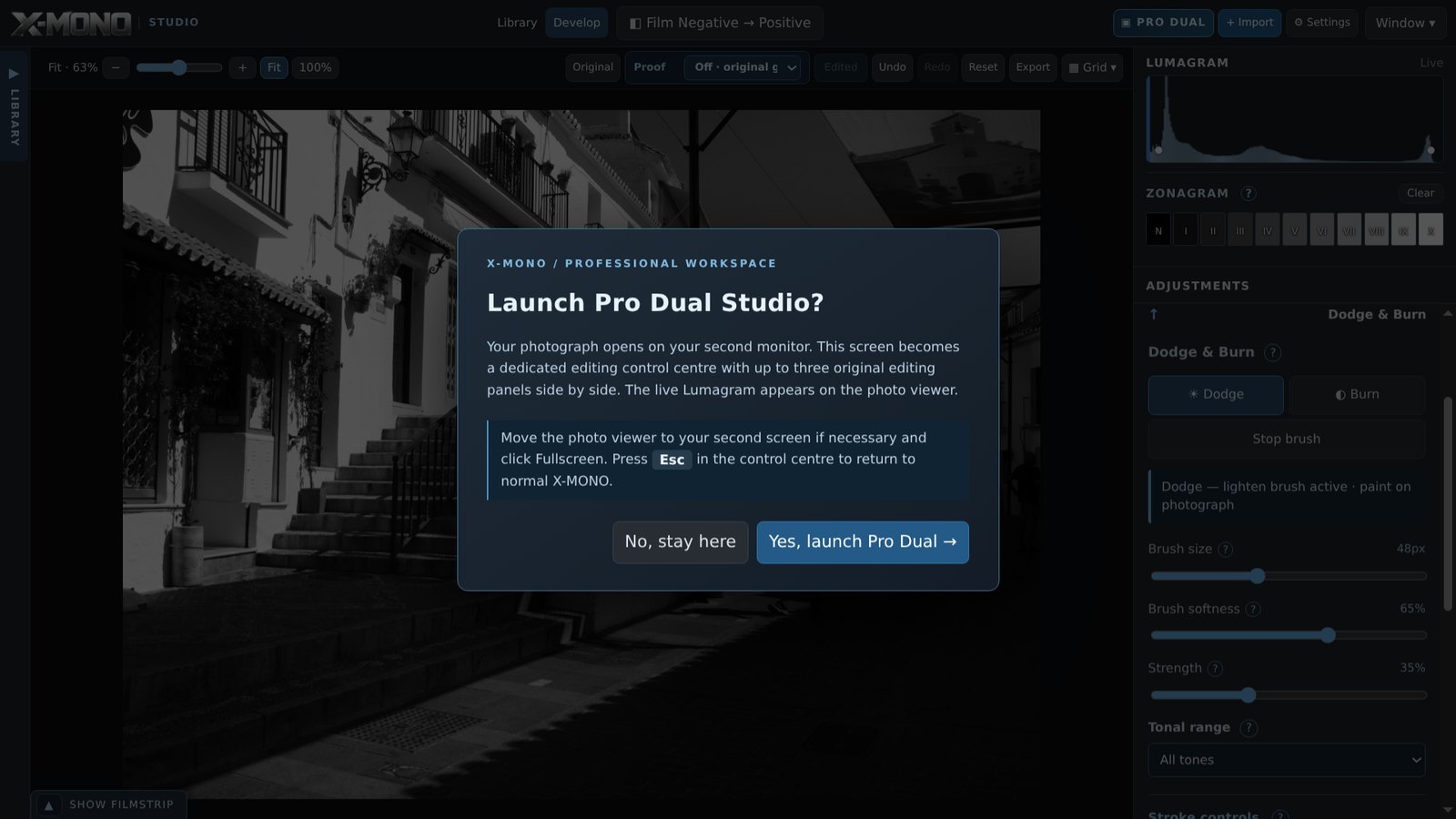
Pro Dual
Got two screens? Put the controls on one and the photo on the other, with nothing in the way of the picture. Pro Dual is part of the X-Range workspace, so it's there in every editor.
Switching shouldn't mean starting again.
X-MONO uses keyboard shortcuts and a layout that'll feel familiar if you've used other well-known editors, so the only thing you have to learn is what it can do that your old editor couldn't.
- Familiar keyboard shortcuts throughout.
- Non-destructive. Edits saved to disk, originals never touched.
- Offline. No account, no cloud, no internet connection needed to edit.
- Same engine as X-IMG. Your skills and shortcuts carry across the range.
In testing, masking in training.
The engine, the rendering, the conversion tools, Zonacurve, the film simulations and Pro Dual are built and being tested on real files. AI masking is being trained from scratch and X-MONO won't ship without it. First release is planned for 2027.
System requirements
| Operating systems | Linux first, then macOS (Universal: Apple silicon and Intel) and Windows. |
|---|---|
| Processing | Everything runs on your own computer. No cloud processing, no account and no internet connection needed to edit. |
| Licence | One-off licence covering two computers. Free trial before you buy. |
| Hardware | Full minimum and recommended specs will be published nearer release. |
Buy it once. It's yours.
No subscription, no account, no monthly reminder that you're paying for software you used twice.
Try it first
Every editor has a free trial. If it doesn't suit you, you've lost nothing.
Buy once
Each editor is a one-off licence, yours to keep, for two computers.
Updates
Fixes and security updates are free. Big new versions are a reduced upgrade price for people who already own the editor.
Your computer
Linux first, then Mac (Apple silicon and Intel) and Windows.
First release: 2027. Prices to be announced.
Hear first when it's ready.
Want to know when X-MONO is ready? Leave your email and you'll hear first, along with launch pricing.