X-IMG. The everyday editor, done properly.
The general-purpose editor in the range. Colour and mono, RAW and JPEG, retouching and export. It does the everyday editing without trying to become a graphics package.
First release planned for 2027
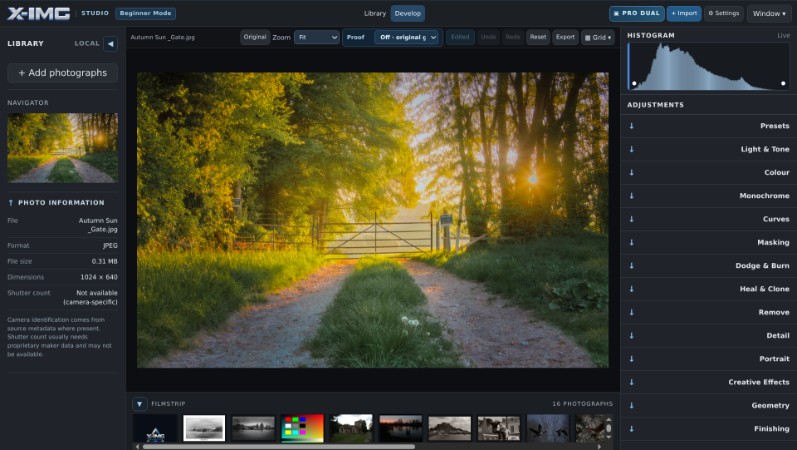
Library and Develop
Bring photos in, find them on the filmstrip, and develop them in a layout you'll recognise straight away. Navigator, live histogram and photo information, including shutter count where the camera records it. Beginner Mode keeps the panels simple while you find your feet.
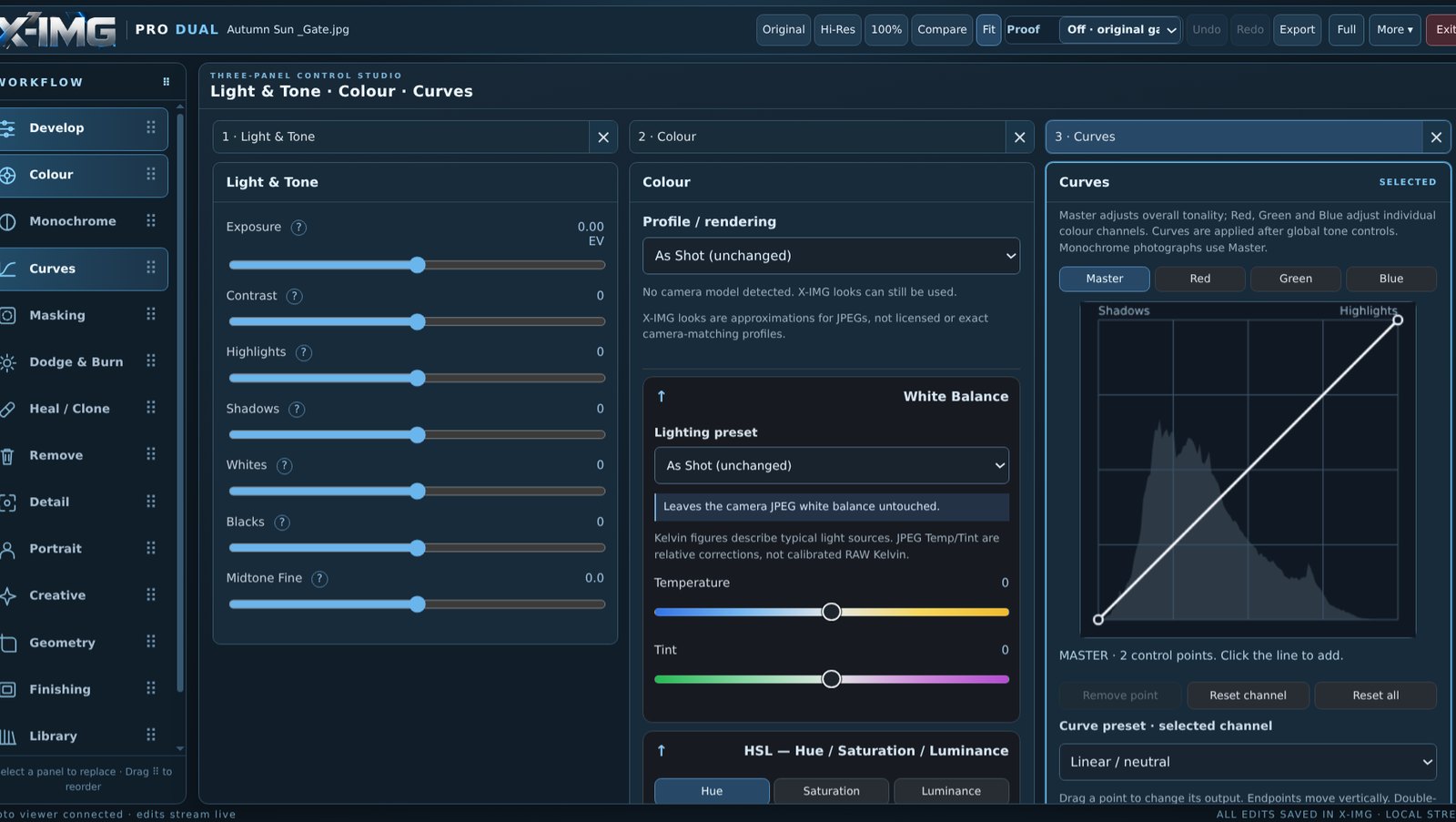
A full develop toolkit
Presets, Light and Tone, Colour, Curves, Detail, Geometry, Creative Effects and Finishing. Everything you need to take a RAW file to a finished image, on the same 32-bit engine as X-MONO.
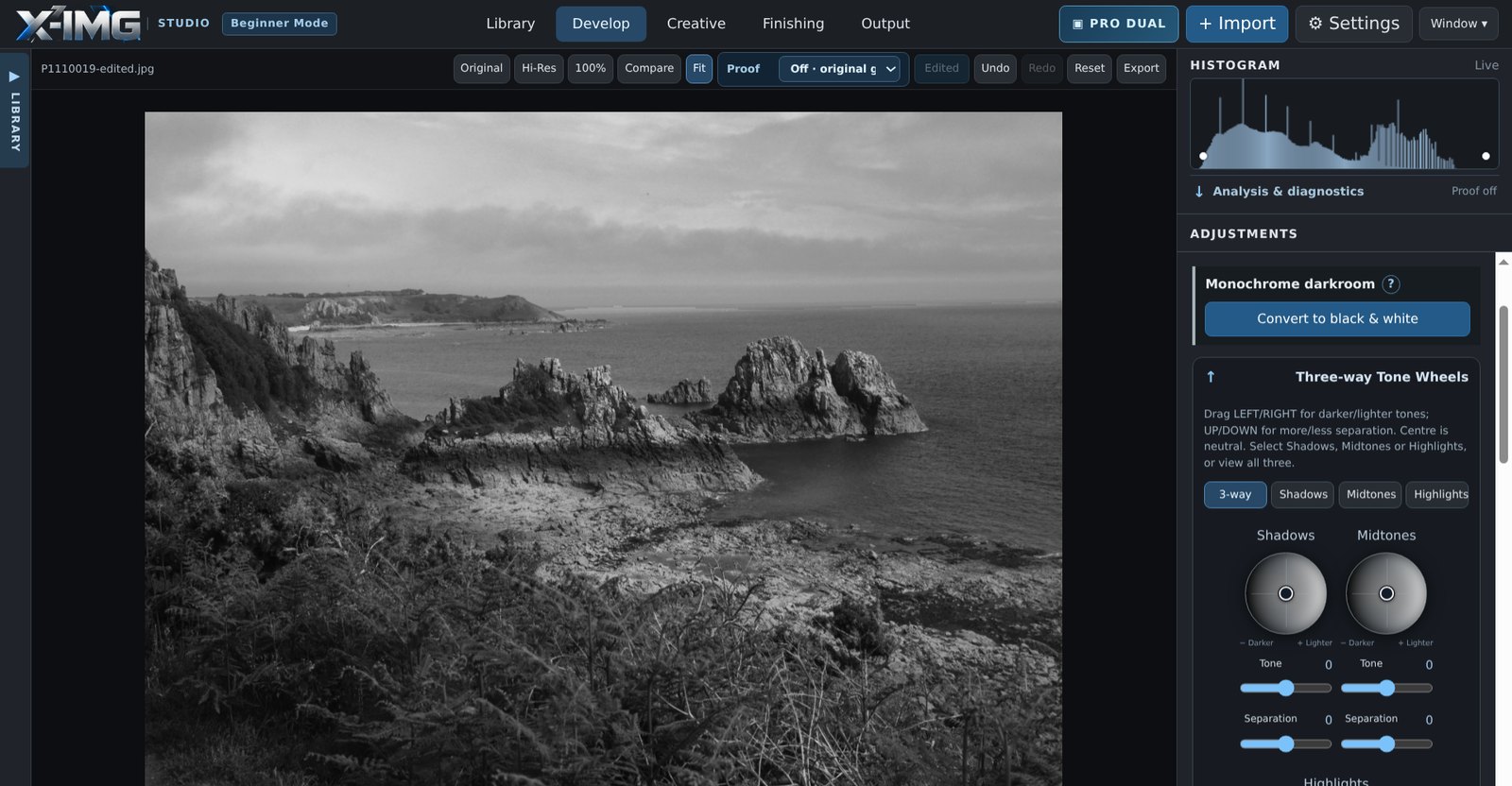
Black and white built in
When a photo wants to be black and white, convert it right there in the editor with one click, and undo it just as easily if you change your mind. Three-way tone wheels for shadows, midtones and highlights let you shape the result without leaving X-IMG.
It's a cut-down version of X-MONO's darkroom, there for the times a colour job turns mono. If black and white is most of what you do, X-MONO is the serious tool for it.
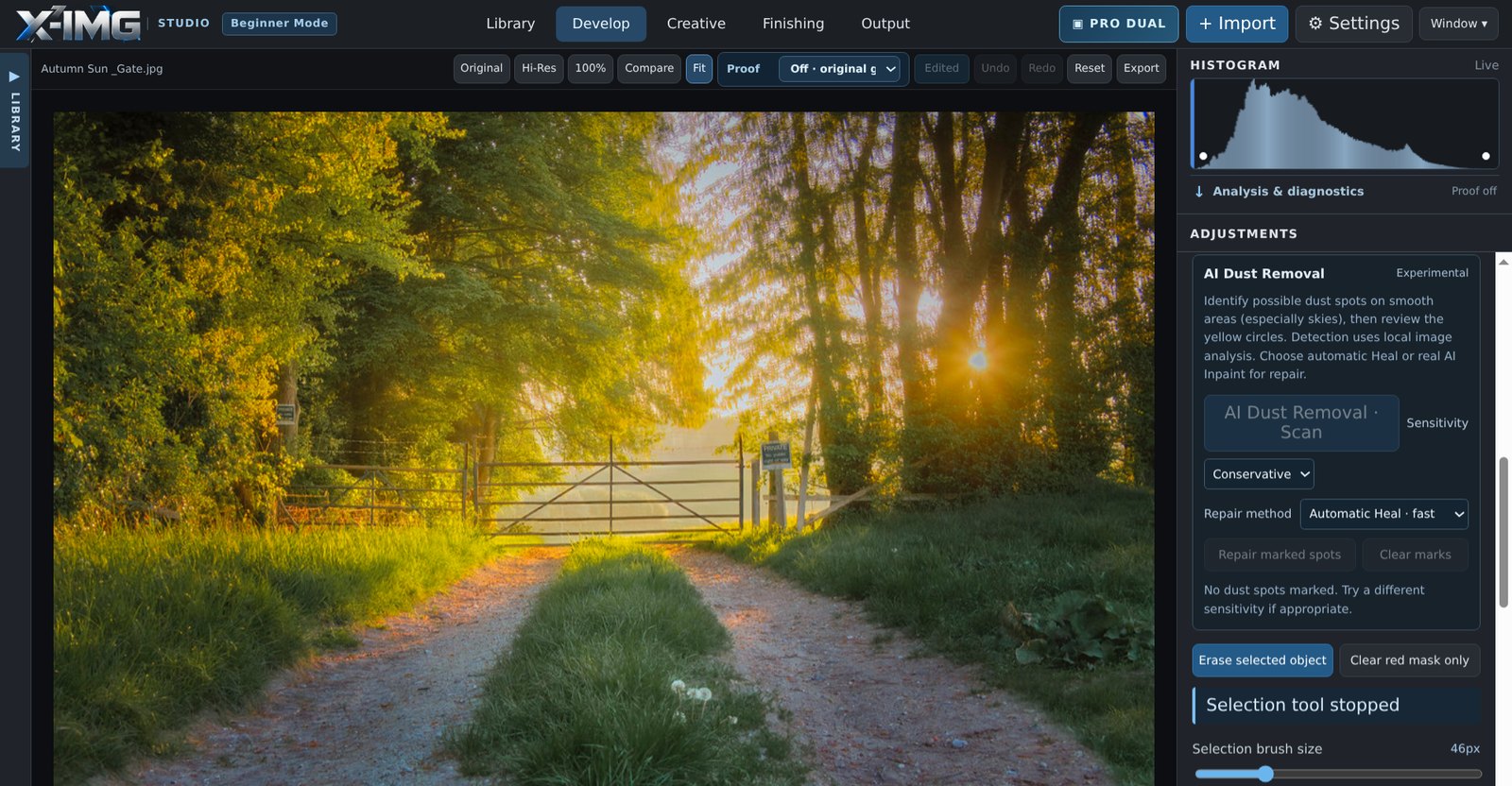
Retouching and removal
Heal and Clone, Remove and Portrait tools for tidying up a frame without a round trip to another program. Paint over a distraction and erase it, or let AI Dust Removal scan smooth areas like skies for sensor spots, then review what it found before it repairs anything.
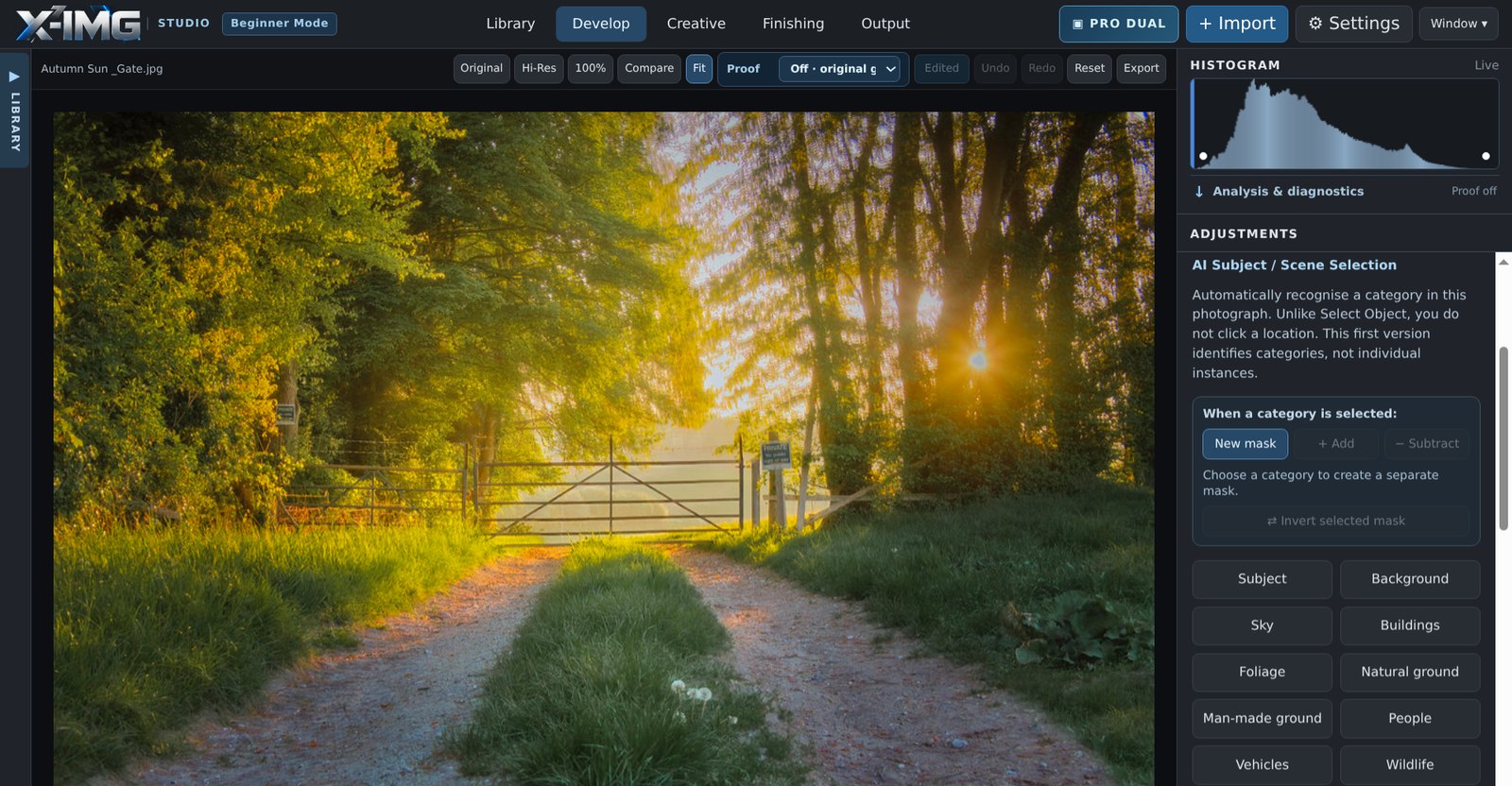
Masks, dodge and burn
Brush masks and dodge and burn for local work. AI Subject and Scene Selection is on the way: pick Subject, Background, Sky, Buildings, Foliage, People, Wildlife, Water and more, and the mask is made for you, ready to add to, subtract from or invert. It's being trained from scratch and will be shared across the range. How the masking is being built →
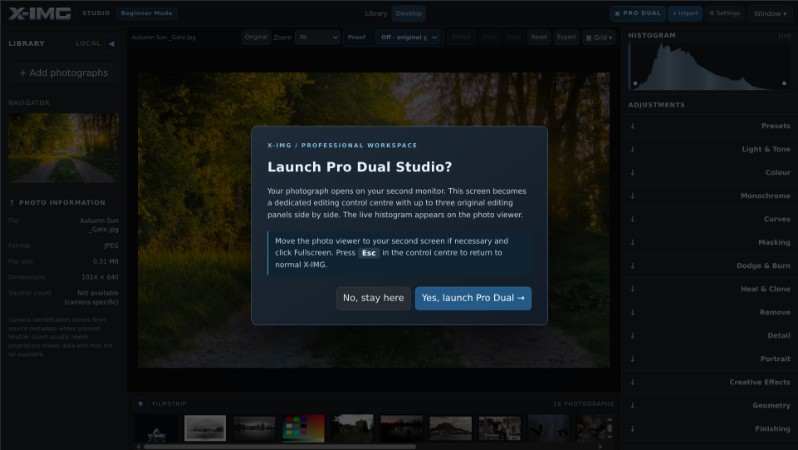
Pro Dual
Got two screens? Put the controls on one and the photo on the other, with nothing in the way of the picture. Pro Dual is part of the X-Range workspace, so it's there in every editor.
Familiar shortcuts. No subscription.
X-IMG uses keyboard shortcuts and a layout you'll recognise from other well-known editors, so switching doesn't mean relearning everything from scratch.
- RAW straight in, colour included, no conversion step. Tested with files up to 100 megapixels.
- 32-bit floating-point processing with Neutral Base rendering.
- Non-destructive. Edits saved to disk, originals never touched.
- Offline. No account, no cloud, no internet connection needed to edit.
Being brought up to X-MONO's standard.
X-IMG runs on the same engine and layout as X-MONO and is being tested alongside it, with the AI masking shared between them. First release is planned for 2027.
System requirements
| Operating systems | Linux first, then macOS (Universal: Apple silicon and Intel) and Windows. |
|---|---|
| Processing | Everything runs on your own computer. No cloud processing, no account and no internet connection needed to edit. |
| Licence | One-off licence covering two computers. Free trial before you buy. |
| Files | RAW and JPEG. RAW files open straight into the editor, no conversion step. |
| Hardware | Full minimum and recommended specs will be published nearer release. |
Buy it once. It's yours.
No subscription, no account, no monthly reminder that you're paying for software you used twice.
Try it first
Every editor has a free trial. If it doesn't suit you, you've lost nothing.
Buy once
Each editor is a one-off licence, yours to keep, for two computers.
Updates
Fixes and security updates are free. Big new versions are a reduced upgrade price for people who already own the editor.
Your computer
Linux first, then Mac (Apple silicon and Intel) and Windows.
First release: 2027. Prices to be announced.
Hear first when it's ready.
Want to know when X-IMG is ready? Leave your email and you'll hear first, along with launch pricing.